Prestigio Click & Touch 2 Smart Wireless Keyboard with Touch On Keys

Description

Prestigio Click & Touch 2 Smart Wireless Keyboard with Touch On Keys

Keys, Touchpad, And Mouse Symbiosis

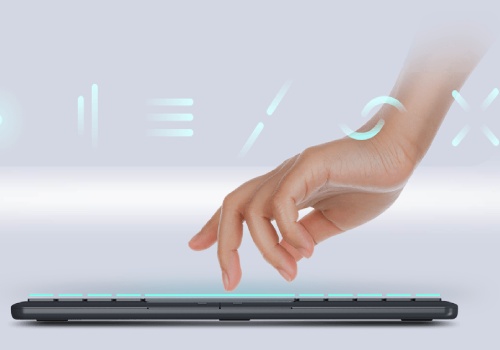
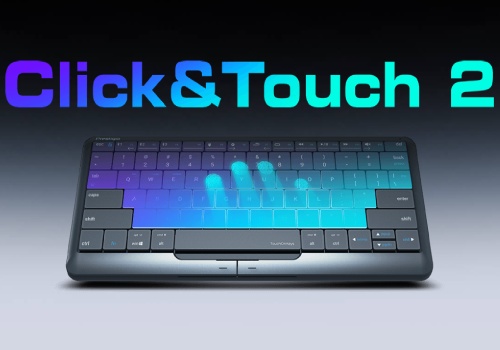
It is very convenient to have a keyboard with a touchpad. However, it is much more convenient when the keyboard is the touchpad itself. More than 80% of the Click&Touch 2's working surface is a touchpad. You can use the keyboard as a touchpad to control the cursor, click, zoom, and scroll through content. You can also use the usual left and right mouse buttons to easily select and drag the necessary objects.

Suitable For Everyone

The Clevetura App makes it possible to customize the position of the touch area solely for yourself. The entire surface can be touch-sensitive, or only the right or left-hand side of it. This feature makes the use of Click&Touch 2 convenient for both right-handed and left-handed users.

Easy-To-Use Touch Multimedia Sliders

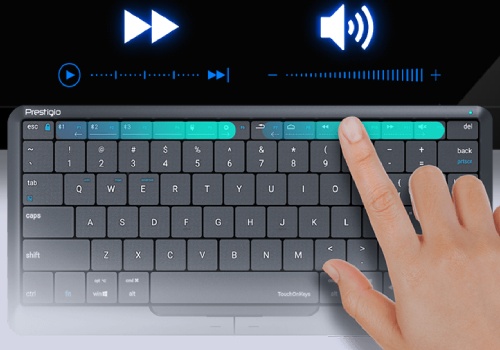
It is now much more enjoyable to watch your favorite movies by using the Click&Touch 2 keyboard. You can easily find the necessary point in the video by swiping on the left-hand side of the upper keyboard row. The right part is used to adjust the sound range comfortable for you.

Enjoy Typing

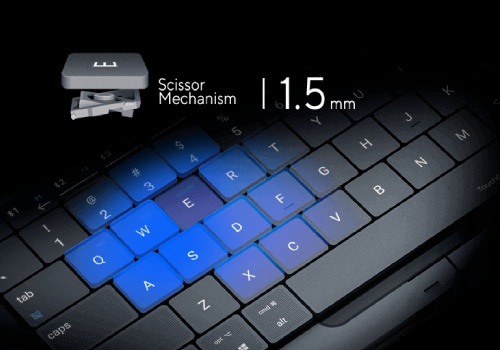
You will not feel any discomfort when typing on the Click&Touch 2, as scissor-switch keys are pressed just as on a laptop. Typing will turn out to be a fast, accurate, and convenient process when you have a tactile keyboard and a 1.5mm keystroke.

Truly Smart Keyboard

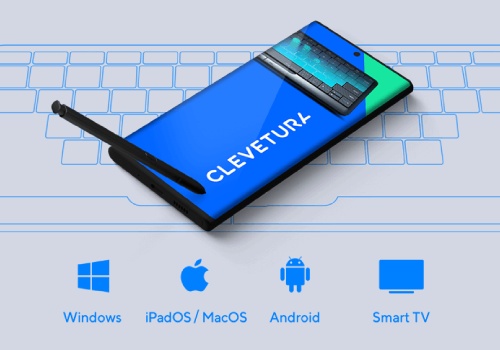
You will be surprised to learn the number of different user settings for this keyboard. The Clevetura App makes it possible not just to update the firmware to the latest version, but also to adjust the size of the touch zone and its location, as well as to change the cursor sensitivity settings, and to select settings profiles for iPadOS, Mac OS, Android, and Windows.

Single Keyboard For All Devices

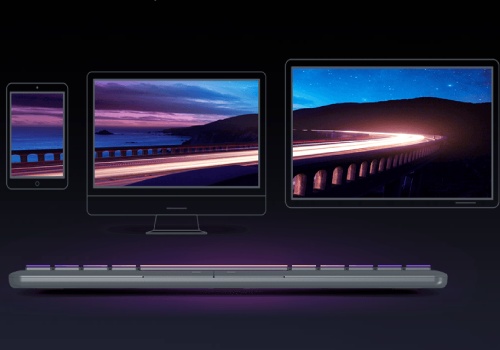
Do you need to operate multiple devices? Click&Touch 2 will cope with this task easier than you think because it can be connected to 4 devices at the same time. There are three Bluetooth channels and a USB Type-C connector for this purpose. Click&Touch 2 is compatible with mobile devices, game consoles, computers, interactive panels, and of course, Smart TVs.

What About Ipad? Ipad Too!

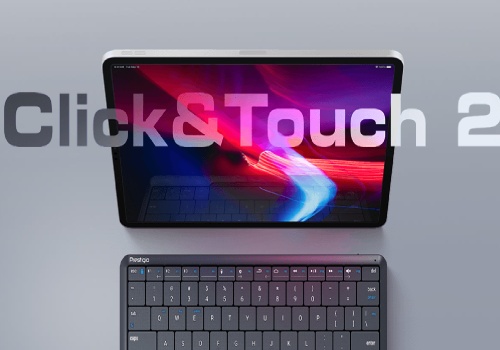
You must agree that the typing procedure can be much faster and more convenient using a normal keyboard rather than an onscreen keyboard. Click&Touch 2 will turn your Apple tablet into a laptop whenever you need it. Just connect it via Bluetooth and use the cursor and usual iPad gestures on the keyboard for a comfortable work experience.

Specifications

Brand

Prestigio

Type

Keyboard

Connectivity Technology

Wired and Wireless

Wireless Technology

Bluetooth

Number of Buttons

78

External Colour

Black/Silver

Included Accessories

Quick Start Guide • USB Receiver
Quick Start Guide

Cable Included

USB Type C Cable

Built-in Devices

LED Indicator

Compliant Devices

Tablet PC
Smartphone
iPad
Smart TV
Interactive Panels
Video Game Consoles
Computers

Depth (mm) Height (mm) Width (mm) Weight

128 mm 11.7 mm 280 mm 283 g

Keyboard Features

TouchOnKeys - huge invisible touchpad and mechanical keys
80% of the keyboard surface is the touchpad
Touch multimedia sliders
Scissor mechanical keys with 1.5mm stroke
Left and right physical "mouse" buttons
Settings and updates via Clevetura App (Android and iOS)
Multi-Device Connect Support - Up to 4 Devices Simultaneously

Prestigio Click & Touch 2 Smart Wireless Keyboard with Touch On Keys

Product form

35.900 KD  19.900 KD

    • Guaranteed secure & safe checkout.

    Description

    Prestigio Click & Touch 2 Smart Wireless Keyboard with Touch On Keys

    Keys, Touchpad, And Mouse Symbiosis

    It is very convenient to have a keyboard with a touchpad. However, it is much more convenient when the keyboard is the touchpad itself. More than 80% of the Click&Touch 2's working surface is a touchpad. You can use the keyboard as a touchpad to control the cursor, click, zoom, and scroll through content. You can also use the usual left and right mouse buttons to easily select and drag the necessary objects.

    Suitable For Everyone

    The Clevetura App makes it possible to customize the position of the touch area solely for yourself. The entire surface can be touch-sensitive, or only the right or left-hand side of it. This feature makes the use of Click&Touch 2 convenient for both right-handed and left-handed users.

    Easy-To-Use Touch Multimedia Sliders

    It is now much more enjoyable to watch your favorite movies by using the Click&Touch 2 keyboard. You can easily find the necessary point in the video by swiping on the left-hand side of the upper keyboard row. The right part is used to adjust the sound range comfortable for you.

    Enjoy Typing

    You will not feel any discomfort when typing on the Click&Touch 2, as scissor-switch keys are pressed just as on a laptop. Typing will turn out to be a fast, accurate, and convenient process when you have a tactile keyboard and a 1.5mm keystroke.

    Truly Smart Keyboard

    You will be surprised to learn the number of different user settings for this keyboard. The Clevetura App makes it possible not just to update the firmware to the latest version, but also to adjust the size of the touch zone and its location, as well as to change the cursor sensitivity settings, and to select settings profiles for iPadOS, Mac OS, Android, and Windows.

    Single Keyboard For All Devices

    Do you need to operate multiple devices? Click&Touch 2 will cope with this task easier than you think because it can be connected to 4 devices at the same time. There are three Bluetooth channels and a USB Type-C connector for this purpose. Click&Touch 2 is compatible with mobile devices, game consoles, computers, interactive panels, and of course, Smart TVs.

    What About Ipad? Ipad Too!

    You must agree that the typing procedure can be much faster and more convenient using a normal keyboard rather than an onscreen keyboard. Click&Touch 2 will turn your Apple tablet into a laptop whenever you need it. Just connect it via Bluetooth and use the cursor and usual iPad gestures on the keyboard for a comfortable work experience.

    Specifications

    Brand

    Prestigio

    Type

    Keyboard

    Connectivity Technology

    Wired and Wireless

    Wireless Technology

    Bluetooth

    Number of Buttons

    78

    External Colour

    Black/Silver

    Included Accessories

    Quick Start Guide • USB Receiver
    Quick Start Guide

    Cable Included

    USB Type C Cable

    Built-in Devices

    LED Indicator

    Compliant Devices

    Tablet PC
    Smartphone
    iPad
    Smart TV
    Interactive Panels
    Video Game Consoles
    Computers

    Depth (mm) Height (mm) Width (mm) Weight

    128 mm 11.7 mm 280 mm 283 g

    Keyboard Features

    TouchOnKeys - huge invisible touchpad and mechanical keys
    80% of the keyboard surface is the touchpad
    Touch multimedia sliders
    Scissor mechanical keys with 1.5mm stroke
    Left and right physical "mouse" buttons
    Settings and updates via Clevetura App (Android and iOS)
    Multi-Device Connect Support - Up to 4 Devices Simultaneously

    Returns & Delivery

    When will my order be delivered?

    We ship worldwide. Your order will be packaged really carefully and delivered wherever you want. Delivery takes between 2-4 business days. You will receive an e-mail after ordering with more information about the delivery.

    Can I return my product?

    Orders can be returned or exchanged within 30 days of receiving the parcel, providing they are in original resalable condition.

    What can I do if my item (or part of it) is damaged?

    We work hard to deliver your items without damage. Orders can be returned or exchanged within 30 days of receiving the parcel, providing they are in original resalable condition.

    Recently viewed products

      Footer image

      © 2026 TechTide

          Login

          Forgot your password?

          Don't have an account yet?
          Create account